sikabooks Help Center
Guides for every sikabooks workspace
Asset and finance teams
Asset Management user manual
Manage assets, depreciation, audits, custody, and maintenance.
14 articles
Workflows and guidance
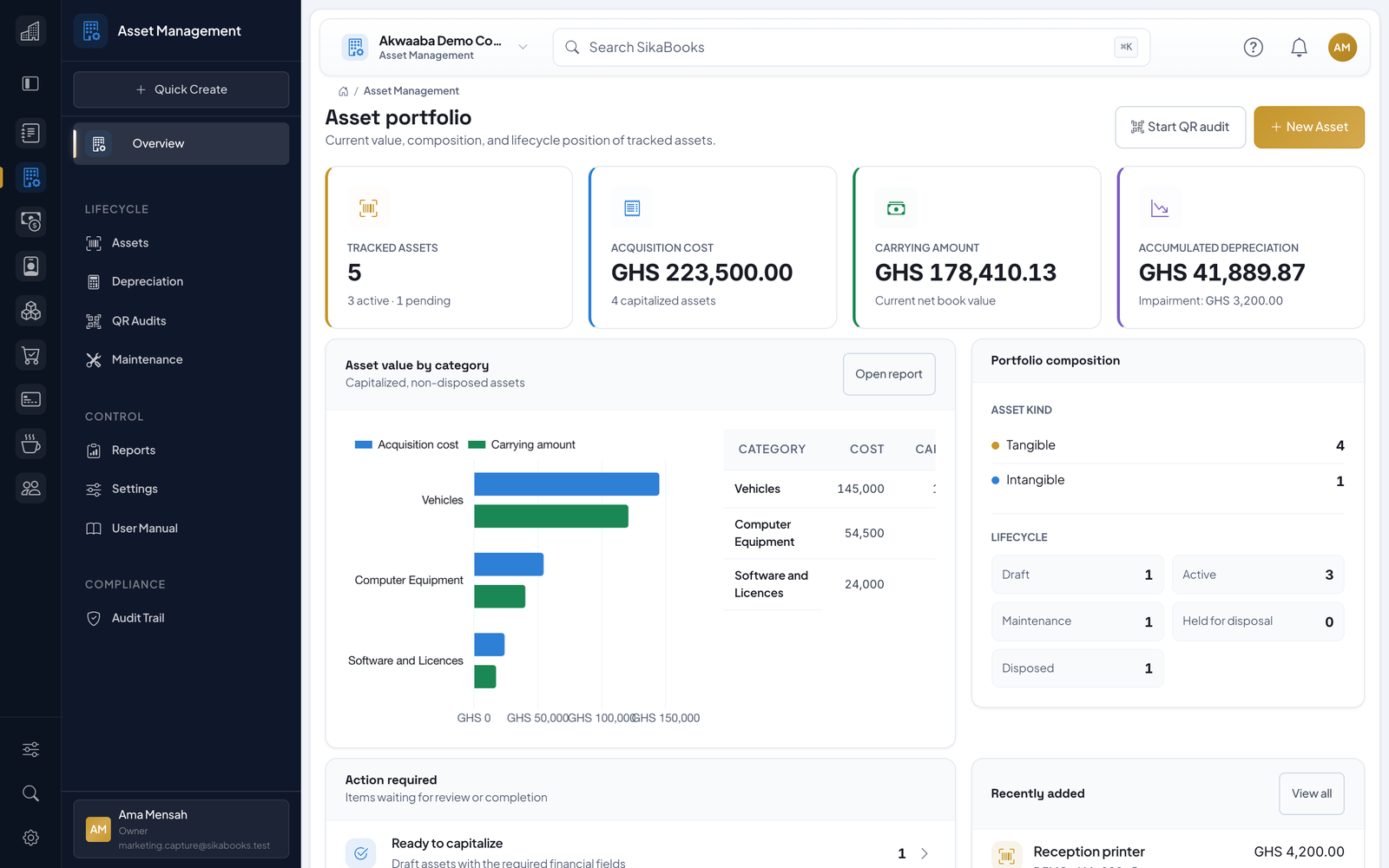
- Command Center Asset Management gives asset operators, finance teams, and custodians one place to manage fixed assets and intangible assets from registration through capitalization, QR audits, de...
- Asset Register The Asset Register is the live list of all tracked assets. Use it to search, filter, inspect lifecycle status, and open asset records. Register Filters Use filters when the list be...
- Asset Categories Categories provide defaults and Accounting mapping confidence for asset records. They are managed in Settings. Each category can define: Asset kind: tangible or intangible. Default...
- Create and Edit Assets The create/edit form is grouped by operator task: Identity — asset number, name, kind, category, and lifecycle status. Custody and location — custodian, location, serial number, mo...
- Capitalization Workflow Capitalization is a separate action from create/edit so teams can separate operational registration from accounting recognition. Open the asset record and use Capitalize Asset when...
- Depreciation Runs Depreciation is managed from Depreciation. Runs are monthly and use the straight-line depreciation method. Generate a Draft Run Open Depreciation. Select the month. Generate the ru...
- QR Audit Workflow QR audits help field teams confirm that assets exist, are in the expected location, and are in usable condition. Create an Audit Cycle Open QR Audits. Create an audit cycle. Includ...
- Variance Report The variance report focuses on exceptions from an audit: Missing assets. Damaged assets. Unexpected assets. Location mismatches. Custodian mismatches where the observed custodian d...
- Maintenance Work Orders Maintenance work orders track preventive and corrective work on assets. Create a Work Order Open Maintenance. Select the asset when known. Enter the type, title, priority, assignee...
- Custody, Documents, Imports, and Labels Use the asset workspace tabs to check assets out or in, transfer custodian or location, set a return due date, attach invoices, warranties, insurance, contracts, photos, and other...
- Impairment and Disposal Record an impairment using the loss amount, effective date, recoverable amount, and evidence. Reversals cannot exceed the remaining impairment balance or the carrying amount that w...
- Reports and Month-End Reports include the register, additions, depreciation schedule, impairments, disposal gain/loss, custody movements, maintenance cost, audit variance, and Ghana capital allowance. A...
- Permissions Asset Management uses role permissions to separate operational and finance tasks. Common permission areas include: Dashboard view. Asset view, create, edit, capitalize, transfer, a...
- Troubleshooting Asset cannot be capitalized Check that cost, capitalization date, available-for-use date, useful life, and category are complete. For a bill-backed asset, verify the source transac...