
Employee Management
- Maintain employee records with employment type, pay basis, and payment details
- Track departments, positions, and hire dates in one register
- Manage both full-time and contract staff in one workspace

Finance & compliance
Accounting Payroll Asset ManagementSales & customers
CRM Point of SaleOperations
Inventory ProcurementIndustry extensions
Restaurant Pharmacy Mobile app New
Calculate pay using configured Ghana statutory rules, review exceptions, approve the run, and track disbursements with a clear audit trail.
Current screens captured from a synthetic demo company, so you see the product as it is today.
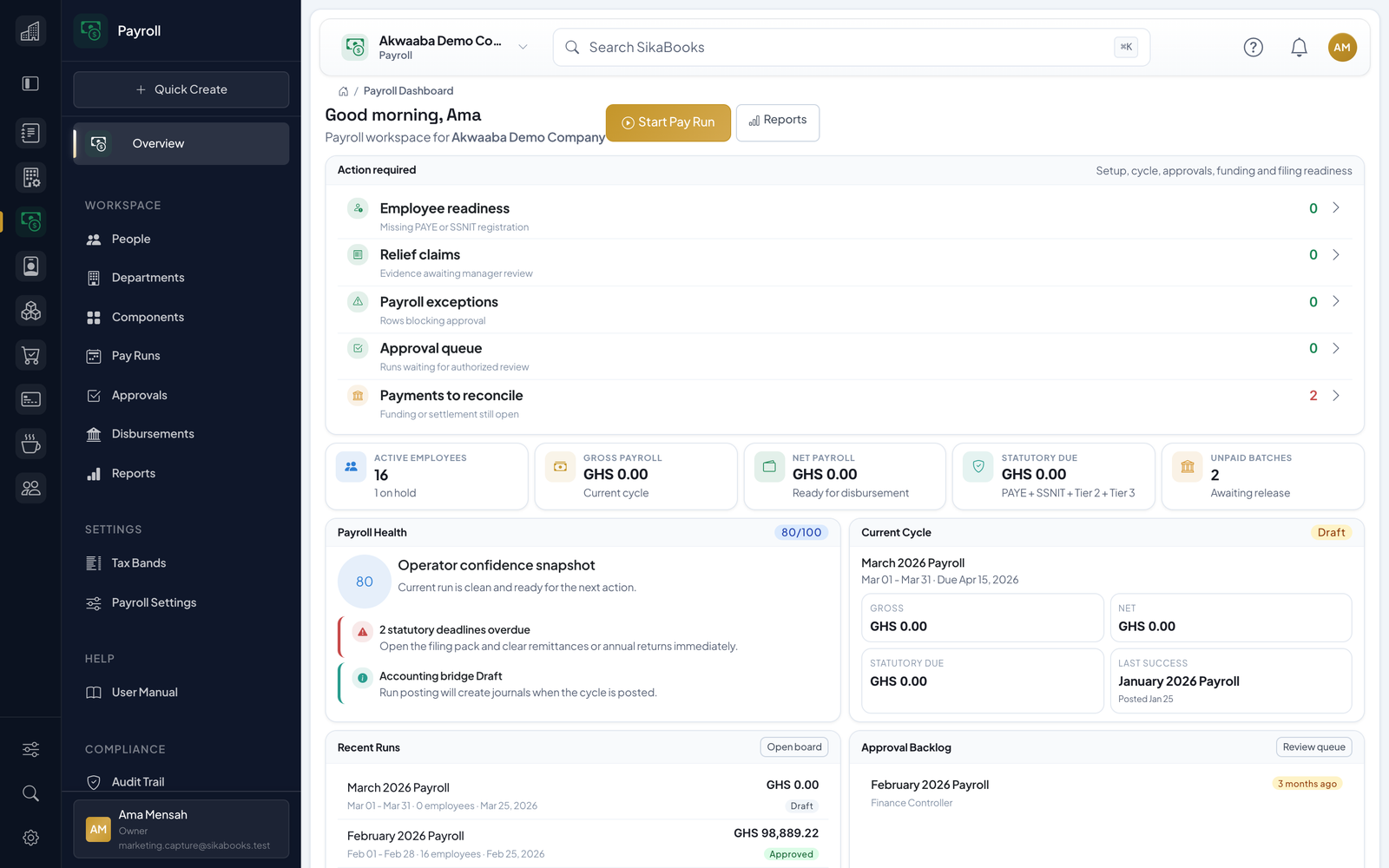
Payroll is a controlled sequence. Calculation, approval, posting, and payment are separate events.
Check identity, compensation, payment destination, statutory IDs, and effective dates.
Inspect gross pay, deductions, exceptions, and changes against the prior run.
Apply the configured separation-of-duty controls before posting final payslips.
Export or record payment batches, confirm settlement externally, and retain references.
Current, responsive screenshots captured from the synthetic Akwaaba demo workspace.
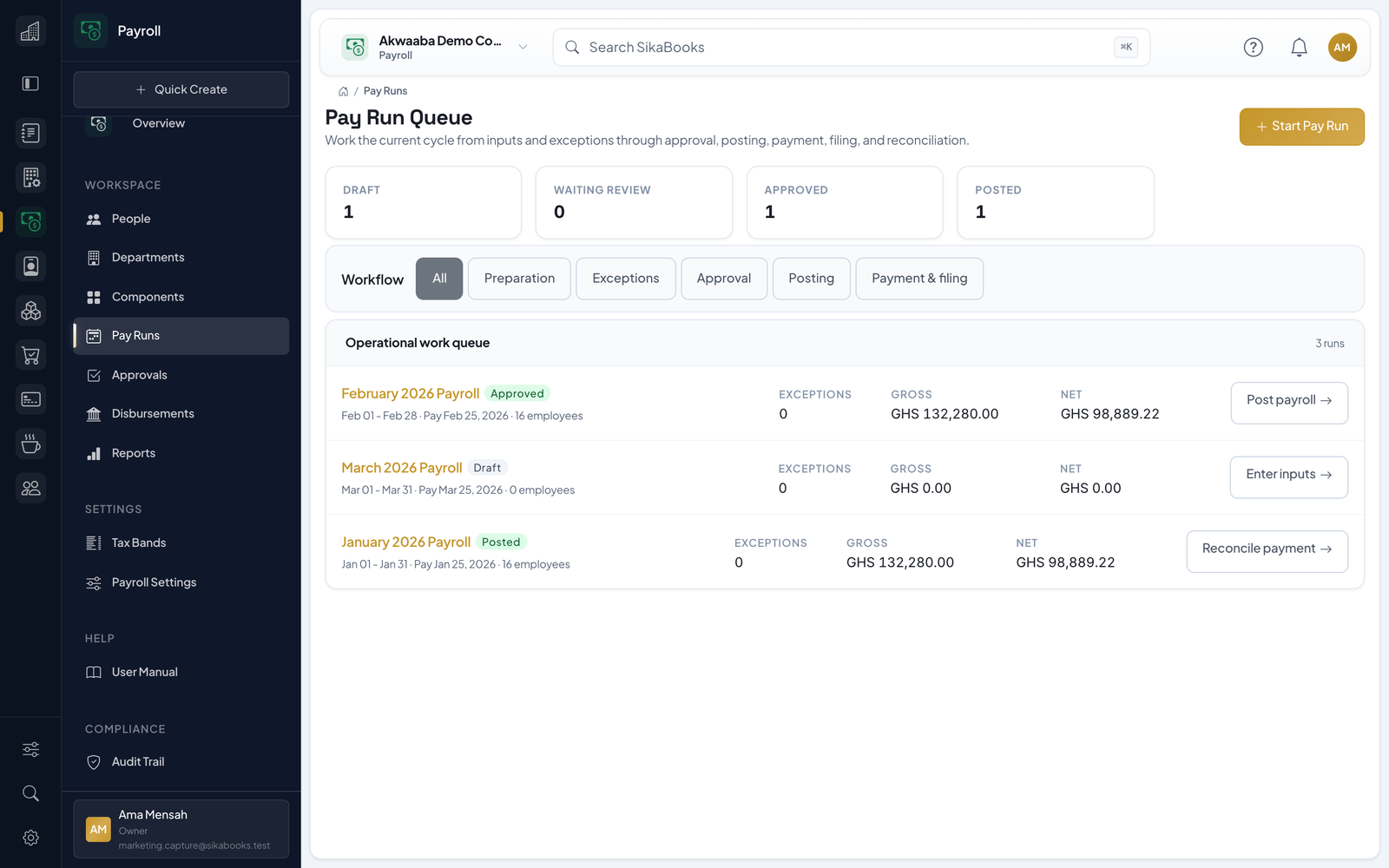
A closer look at what you get when you add Payroll to your workflow.
For current statutory requirements, consult GRA PAYE guidance, GRA 2026 income-tax amendments, SSNIT employer obligations.

Invite staff to the employee portal and they open the SikaBooks app for their payslips and their pay for the year. Fewer payday questions for whoever runs payroll.
Understand which steps the software supports and which obligations remain with the employer.
Yes. Payroll can manage employees, pay runs, reports, and manual export workflows on its own. HR enrollment and Accounting journals are optional handoffs when those modules are enabled.
No. Payment files and statutory reports support your process, but the employer must execute payments, verify returns, file with GRA, and remit pension contributions. Payroll does not file or remit tax or pension contributions for you.
Posted payroll is treated as final history. Corrections use the controlled void, correction, or next-period adjustment workflows where applicable; the original payslip and journal are not silently edited.
Payroll can run standalone with manual export workflows.
When Accounting is enabled, payroll journals can stage or post into the ledger.
Calculate pay using configured Ghana statutory rules, review exceptions, approve the run, and track disbursements with a clear audit trail. Start free, no payment needed.