sikabooks Help Center
Guides for every sikabooks workspace
Purchasing and finance teams
Procurement user manual
Requisitions, RFQs, suppliers, purchase orders, receipts, and matching.
17 articles
Workflows and guidance
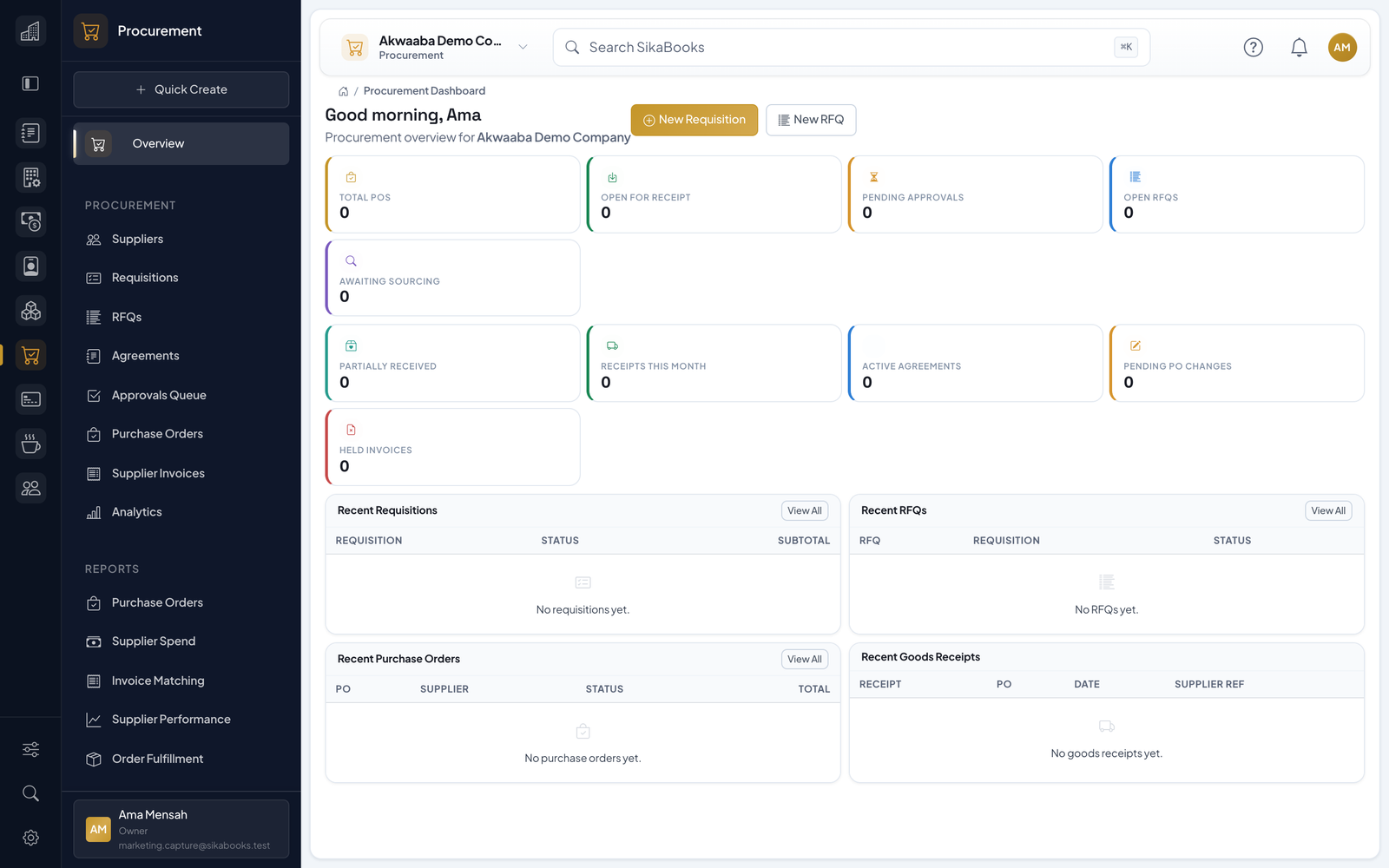
- Getting Started The Procurement module manages the purchasing cycle for your business: supplier records, requisitions, RFQs, purchase orders, goods receipts, landed costs, supplier invoices, match...
- Suppliers Suppliers are the foundation of procurement. Purchase orders, RFQs, agreements, invoices, WHT treatment, and payment instructions all link to supplier records. Creating a Supplier...
- Requisitions Requisitions are controlled requests to source goods or services. They cover internal requirements raised for a department and external customer demand raised for a Company or Indi...
- Request for Quotes (RFQ) RFQs help buyers request competitive supplier pricing before a purchasing commitment. Workflow Creating and Opening an RFQ Go to RFQs -> Create. Select an approved requisition, or...
- Supplier Portal The Supplier Portal lets suppliers respond to RFQs without a SikaBooks user account. How It Works Inviting a supplier generates a secure portal token. The supplier opens the portal...
- Purchase Orders Purchase orders are the formal purchasing commitment to a supplier. Workflow Creating a Purchase Order POs can be created: directly by a buyer from an awarded RFQ from a purchase a...
- Goods Receipts Goods receipts record what was physically received against a purchase order. Recording a Receipt Open the approved or sent PO and click Receive Goods. Enter receipt date and option...
- Landed Costs Landed Costs capture extra costs required to bring purchased goods into stock, such as shipping, duty, handling, inspection, insurance, or other import costs. Creating a Landed Cos...
- Supplier Invoices & Matching Supplier invoices record what the supplier billed. Matching compares the invoice against the PO and, when configured, the goods receipt. Creating a Supplier Invoice Go to Supplier...
- Purchase Agreements Purchase agreements define longer-term pricing, quantities, and spending ceilings with a supplier. Workflow Creating an Agreement Go to Agreements -> Create. Select supplier, title...
- PO Change Orders Change orders provide controlled edits to an existing PO after approval or sending. When to Use Use a change order to: add a new PO line update quantity or price remove a line that...
- Approval Workflows Approvals control spend before commitment or change. How Approvals Work A requisition, RFQ supplier award, PO, or change order is submitted. SikaBooks finds the matching approval p...
- Analytics & Reports Analytics Open Procurement -> Analytics for the manager control tower. It separates historical performance from work that needs attention now. Choose MTD, QTD, Fiscal YTD, Rolling...
- Settings & Configuration Open Procurement -> Settings to configure module behavior. Receiving Controls Setting Description Require Supplier Invoice Number Enforce supplier invoice reference on receipt/invo...
- Feature Flags Feature Flags control which advanced Procurement surfaces are available. Disabled features hide their routes and menu items. Feature Description Requisitions Employee purchase requ...
- Permissions Access is controlled through Core permissions and role templates. Permission Capability procurement.suppliers.view / create / edit / block Supplier registry and blocking procuremen...
- Integration with Other Modules and Troubleshooting Inventory Integration When Inventory is enabled: products can be selected on requisitions, POs, and invoices goods receipts update stock at the selected location batch and serial t...