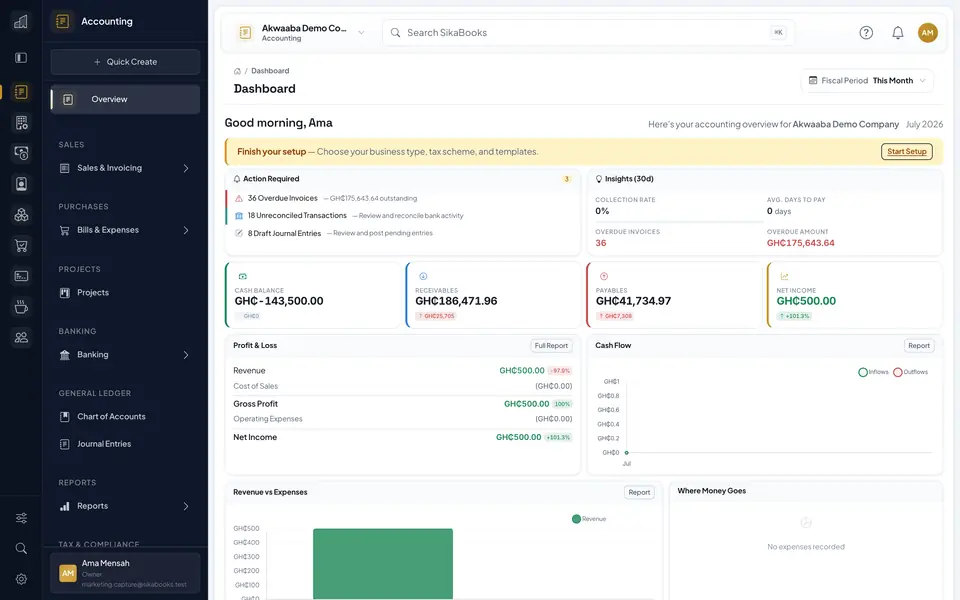
Looking for a QuickBooks alternative in Ghana? Compare SikaBooks accounting, POS, inventory and payroll, with clear pricing and practical switching advice.

Comparison checked 19 October 2026.
This guide is published by SikaBooks. It compares our platform with QuickBooks Online's global offering, not QuickBooks Desktop or every country-specific edition. Features, prices and availability can change.
Choosing accounting software in Ghana involves more than finding a tool that prints invoices. A retailer may need to connect cash and Mobile Money receipts to stock records. A service company may need to follow an enquiry through to a quotation, invoice and payment. Both need figures their accountant can review.
QuickBooks Online is a credible option, with invoicing, income and expense tracking, reports and an app ecosystem. Inventory and multicurrency are also available on eligible plans. Explore QuickBooks' global plans.
SikaBooks offers another approach: Ghana-focused accounting with optional workspaces for the other parts of your business. The useful question is not which product wins every feature comparison. It is which setup fits your work, controls and budget.
The short answer
SikaBooks is worth considering if you want accounting alongside connected sales, stock, purchasing or payroll workflows, with subscription prices listed in cedis. You can start with Accounting or select a package containing the modules you need. See the current SikaBooks packages.
QuickBooks may remain the better fit if your accountant and team already work effectively in it and your required integrations are proven. Switching should solve a specific problem, not simply replace a familiar name.
SikaBooks vs QuickBooks Online: a practical comparison
This table compares the product ranges, not two equal-price bundles. Optional SikaBooks modules are not all included in its Accounting Starter package. QuickBooks features depend on the selected plan and country offering.
| What you need | SikaBooks | QuickBooks Online global offering |
|---|---|---|
| Everyday accounting | Accounting workspace for invoices, bills, payments, reconciliation and reports. | Invoicing, income and expense tracking, and reports; select the plan for your full workflow. |
| Stock management | Inventory is a separate module and is included in the Commerce package. | Inventory is listed for Plus and Advanced. |
| Foreign-currency transactions | Tenant currency and FX configuration, with GHS as the current Accounting base currency. | Multicurrency is listed from Essentials upward. |
| Customer and sales work | Optional CRM for leads, deals, quotations and customer documents. | Customer Hub features are advertised; scope varies by plan. |
| Team access | Roles and functional permissions control access within enabled workspaces. | User allowances vary by plan; the global comparison distinguishes basic and custom permissions. |
| Ghana payroll | Optional Payroll module with configured PAYE and pension deductions, review and payslips. | Confirm Ghana-specific payroll coverage or a suitable separate integration before buying. |
| Retail checkout | POS connects to Inventory; its Accounting integration requires Accounting to be enabled and configured. | Test the intended POS setup and connectors; do not assume a retail checkout is included. |
Product references: QuickBooks plans, QuickBooks inventory, SikaBooks Accounting settings, Inventory, CRM, Payroll and POS.
For tax, both the calculation and its configuration matter. QuickBooks advertises GST/VAT tracking and configurable tax rates. That is not, by itself, confirmation of your Ghana tax setup. Ask either provider to demonstrate your actual invoice and tax treatments. QuickBooks tax-tracking information.
Where SikaBooks may fit your business
Accounting with a Ghana-oriented workflow
SikaBooks Accounting brings customer invoices, supplier bills, payment records, reconciliation and financial reporting into one workspace. Finance can follow a transaction through review, posting and reconciliation instead of treating a saved draft as a finished accounting entry. Explore SikaBooks Accounting.
The platform supports IFRS- and Ghana-oriented recordkeeping and reporting. It does not guarantee IFRS, GRA or legal compliance. Your accountant still needs to review the treatment of transactions, applicable tax rules and the resulting reports. Read the Accounting guide.
Checkout and stock that can work together
For a shop, the question is often what happens after the cashier completes a sale. Does the item quantity change? Can a manager trace a correction? Can finance reconcile the takings?
With the relevant modules enabled, SikaBooks POS connects checkout to Inventory and can feed Accounting. Inventory provides the product and stock records; POS provides the sale and receipt. Returns, corrections and reconciliation still need their own controls. See the POS workflow.
A recorded Mobile Money payment is also not the same as money collected by a payment provider. Match payment evidence and references to the external statement before treating settlement as confirmed.
Customer work and purchasing without losing the context
SikaBooks CRM supports leads, deals, quotations and invoicing. Procurement covers a different job: internal requests, supplier quotations, purchase orders and receiving. These optional modules let a business manage customer demand and supplier sourcing without treating them as the same document or approval process. Explore CRM and Procurement.
For example, a distributor can demonstrate a supplier request, quote comparison, purchase order and partial receipt before deciding whether the workflow fits. That is a more useful buying test than asking only whether a product has a purchase-order button.
A dedicated payroll process
The optional Payroll module supports pay calculations using configured Ghana statutory rules, exception review, approvals, payslips, loan effects and statutory reports. Calculation, posting and disbursement are separate stages. Preparing a bank or Mobile Money payment file does not itself pay employees. See SikaBooks Payroll.
Test your own compensation structure, deductions and approval responsibilities during a demonstration. A correct-looking sample payslip is not enough to establish that every employee has been configured correctly.
Compare the full cost, not just the introductory price
At the time of this review, SikaBooks lists these packages:
| Package | Included modules | Monthly billing | Yearly billing |
|---|---|---|---|
| Starter | Accounting | GHS 49 | GHS 490 |
| Commerce | Accounting, Inventory and POS | GHS 149 | GHS 1,490 |
The pricing page also lists a 30-day trial with no payment required to start. CRM, Procurement, Payroll and other modules are not automatically included in the packages above. Check the current package or configured module mix before subscribing. View live SikaBooks pricing.
For QuickBooks, obtain the current quote for the country, plan and billing term you intend to use. Check the renewal price after any promotion. This comparison does not convert a temporary offer into a permanent cedi price or claim a fixed percentage saving. View live QuickBooks pricing.
Compare the complete setup: subscriptions, user needs, extra tools, data preparation, training and ongoing support. If a supplier bills in a foreign currency, include your actual exchange-rate and payment charges. A lower headline fee is useful only if the required work can still be done.
When staying with QuickBooks makes sense
There is no need to replace a working system simply because another option exists. Staying may make sense when your team uses it confidently, your accountant gets the reports they need and your business depends on integrations you have already tested.
If you evaluate SikaBooks, test those same requirements before committing. In particular, confirm support for your bank or wallet statement format, reporting needs, data exports and approval process. Do not assume that a connector available in one product or country exists in another.
Try the work you actually do
A useful trial should answer a few everyday questions:
- For a retailer: record a sale, enter cash or externally received Mobile Money evidence, check stock, process an authorized correction and reconcile the shift.
- For a service business: follow an enquiry through a quotation and invoice, then record a payment and check the outstanding balance.
- For a distributor: raise a purchasing request, compare supplier responses, receive part of an order and inspect the remaining quantity and supplier invoice trail.
Use sample data, involve the people responsible for each step and inspect the reports at the end. The result should be understandable to the cashier, manager and accountant, not only the person giving the demonstration.
Switching from QuickBooks or spreadsheets
Agree the migration scope before cancelling your current system. Moving customer lists is different from moving open invoices, stock quantities or complete transaction history.
- Retain exports of your records, supporting documents and key reports.
- Agree a cutover date and opening balances with your accountant.
- Confirm the supported import formats and test a small sample first.
- Reconcile cash, bank, receivables, payables and stock against the old records.
- Train users, assign permissions and retain access to the historical archive you need.
Do not assume a one-click migration will preserve every attachment, integration or audit record. Ask the SikaBooks team to review your source files and agree what will be imported, retained separately or entered as opening information.
Frequently asked questions
Can businesses in Ghana use QuickBooks?
Ghana appears in Intuit's country selector. Check the offering available for your country rather than assuming that a US or UK edition's payroll, tax or payment services apply. QuickBooks country and plan information.
Is SikaBooks cheaper than QuickBooks?
It depends on the complete setup. Compare current plans, required modules, billing terms and additional tools. SikaBooks' published cedi prices make its own subscription cost visible, but they do not prove that it is cheaper for every business.
Can I use SikaBooks just for accounting?
Yes. The Starter package includes Accounting. You do not need the Commerce package unless you also want its Inventory and POS modules. Check package inclusions.
Will SikaBooks automatically file my GRA returns?
SikaBooks supports records, calculations and reporting; this article does not promise automatic GRA filing or acceptance. Review the figures with your accountant and complete the applicable filing and payment steps. Accounting scope and responsibilities.
Can all my QuickBooks history be moved into SikaBooks?
The answer depends on your source data and the supported import scope. Agree this before switching and retain your historical records. A migration demonstration should establish what transfers successfully, not imply that every record will move automatically.
Find out whether SikaBooks fits your business
Start with the work that matters most: your sales, your stock, your staff and the records your accountant needs. Then choose the modules and controls that support it.
Explore SikaBooks pricing, start a free trial, or request a walkthrough using sample products and documents from your own workflow.
QuickBooks is a trademark of Intuit Inc. This article is not affiliated with or endorsed by Intuit. The cover is an editorial illustration, not a product screenshot.