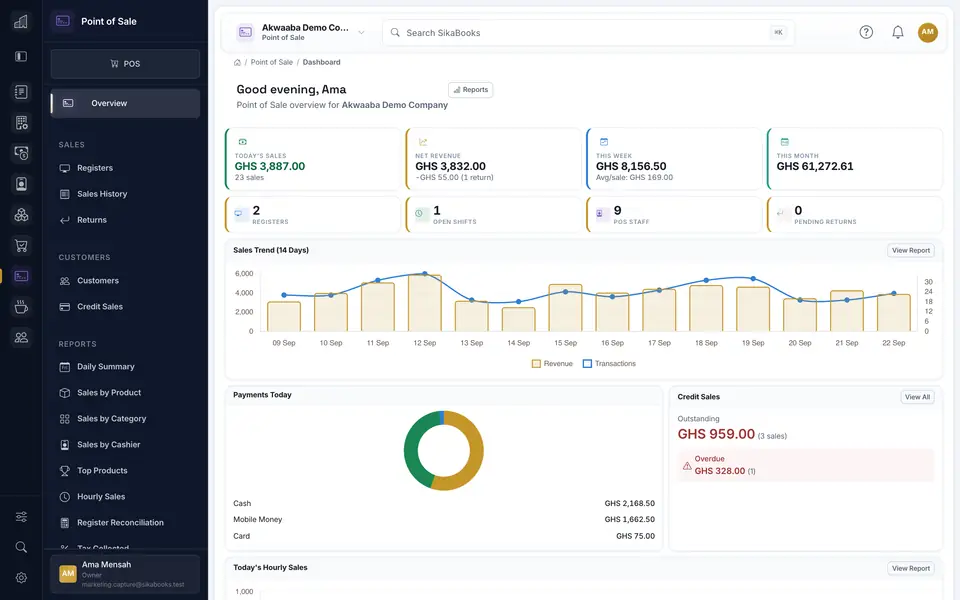
A practical handoff between checkout and finance: record the sale, close the register, review exceptions, and reconcile the resulting records.

A retail sale, a till count, and a ledger posting answer different questions. Keeping them connected saves re-entry, but each still needs review.
1. Complete the sale in POS
The cashier records items, payment method, discounts, and a receipt in POS. Stock-managed items can update Inventory. Returns and voids follow their own controlled workflows rather than changing a completed receipt silently.
2. Close and check the register
Compare cash counted and electronic payment evidence with the shift record. Investigate differences before relying on a daily total. The POS guide explains register closing and sales-history downloads.
3. Review the finance handoff
Sales can feed revenue and payment records when Accounting is enabled and the integration is configured. Finance should check the resulting entries, tax treatment, clearing accounts, and reconciliation status. A successful checkout is not the same as a verified bank deposit or a completed month-end close.
See how Accounting handles the ledger and reports alongside POS.